One more distribution channel

Listeners find your stream in Chrome

Your broadcast is available to every Google Chrome user, right from the browser toolbar. A public stream lands in the extension catalog on its own.

Install the extension
AutomaticFree
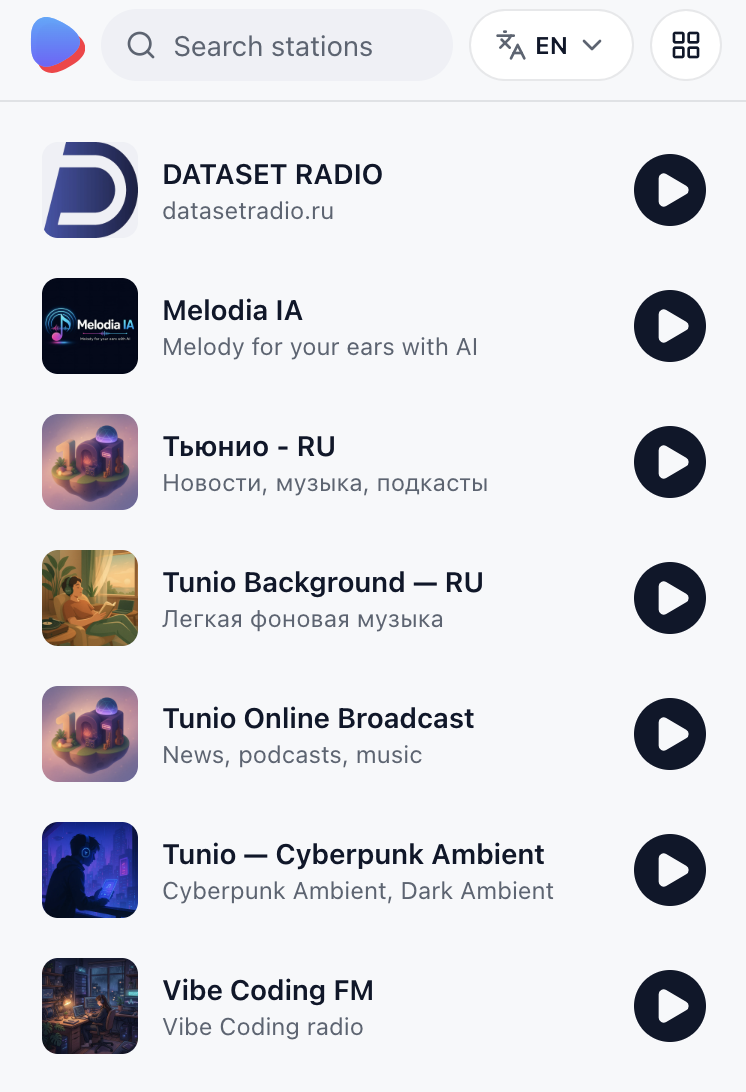
Catalog of public Tunio stations in the Chrome extension popup
What listeners see

Your station in the browser toolbar

The catalog opens from the Chrome toolbar icon: cover art, name and a LIVE badge. That is what a listener picks from, in about a second.

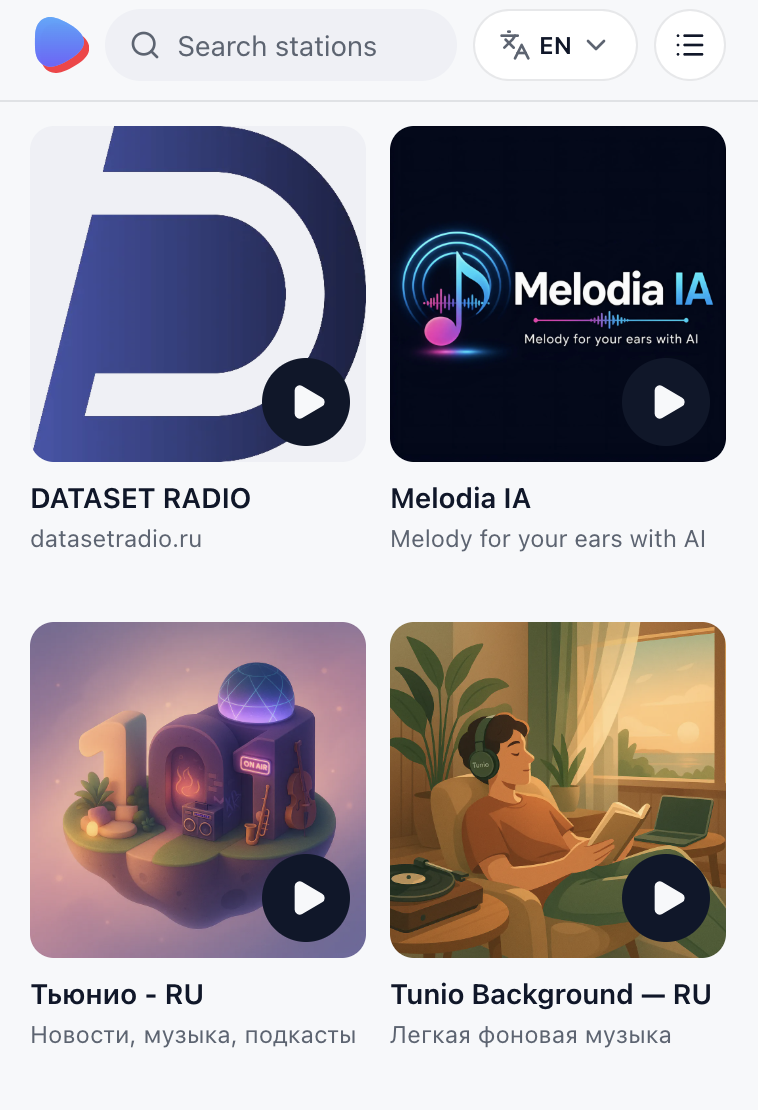
Grid of public stations in the Tunio Radio popup

Your cover art is the storefront

In the catalog grid a station is its cover, its name and a LIVE badge. Live broadcasts sit on top, the rest are ordered by listener count. The cover is uploaded in the stream settings — a station without one is left out of the grid.
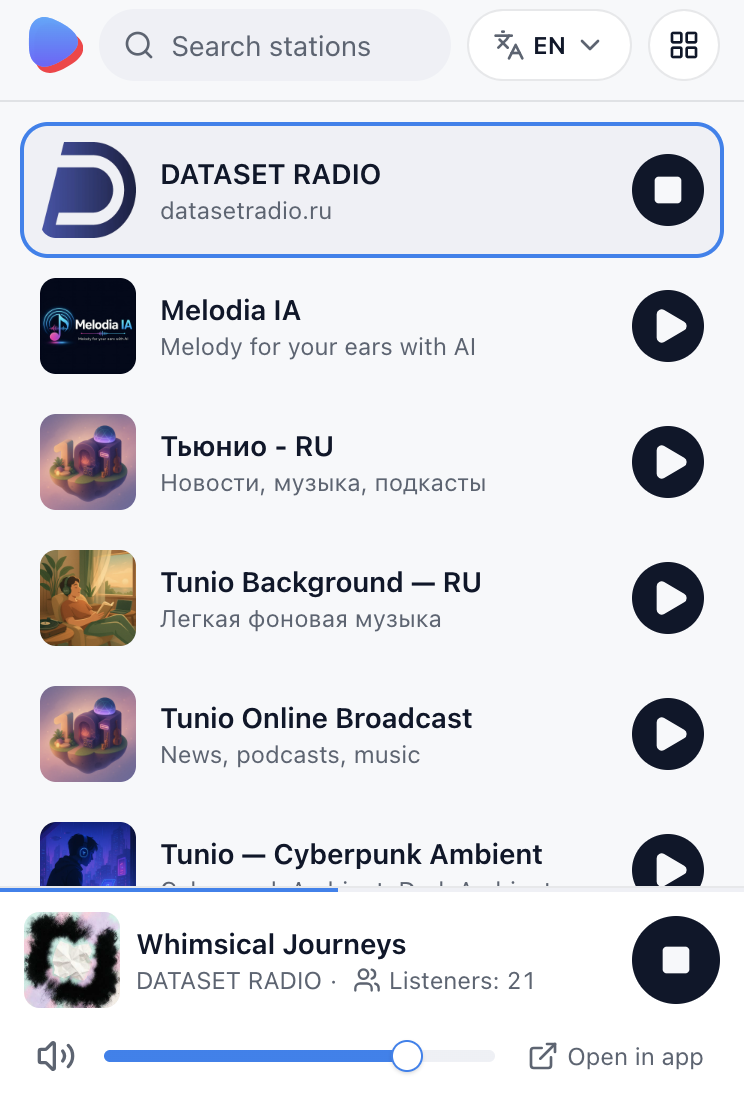
Now playing card in the extension: track, listeners and volume

Now playing — your track, your listeners

A listener sees the track, artist and artwork, the listener count and an “Open in app” button that leads to your public station page with the contacts you chose to publish. Audio keeps going with the popup closed, and everyone listening from the extension counts toward your stream's listener number.

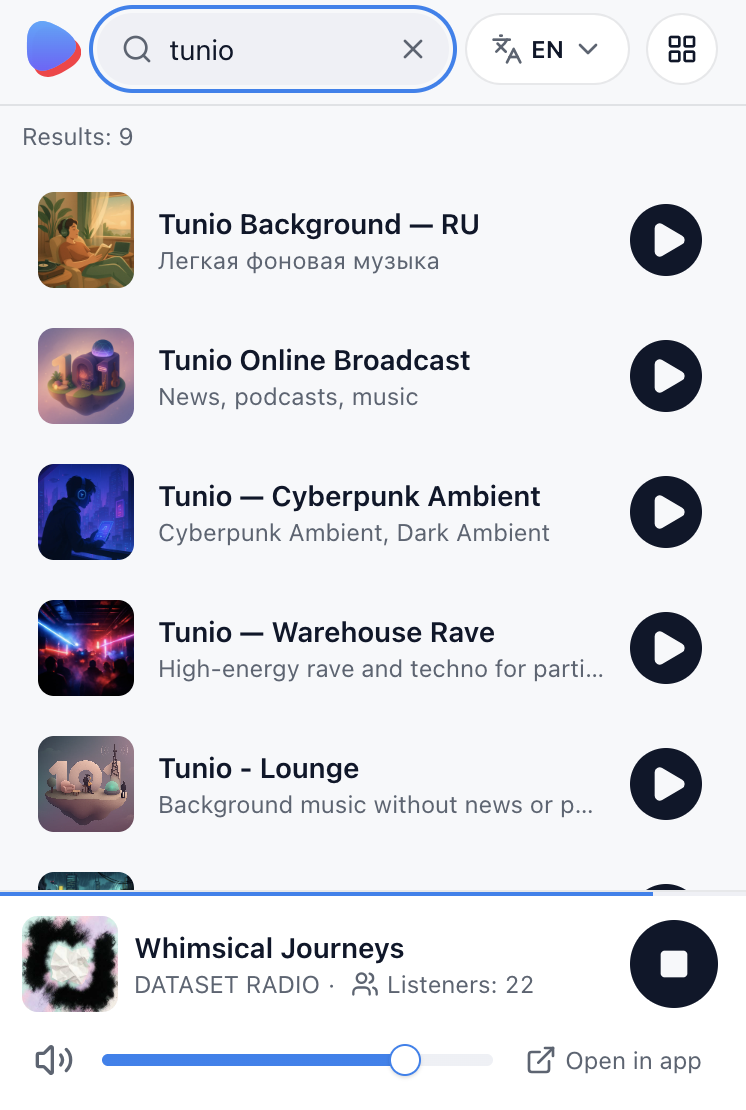
Searching stations in the Tunio Radio popup

A clear name gets found

Search in the popup narrows the list with every letter. Once the catalog holds dozens of stations, people reach you by name — so keep it short and telling.

List view in the Tunio Radio popup

Tiles or a list, whichever suits the listener

Big covers for browsing by mood, a compact list for finding something familiar. One button switches the view; the order is the same in both — airtime and listeners, not the alphabet.

Why they stay longer

It behaves like a player, not a tab

The fewer obstacles a listener meets, the longer they stay on your broadcast.

Media keys and system controls

Play, pause and skip from the keyboard or the system media panel. Nobody has to keep a tab open — your broadcast plays in the background while they work.

Four interface languages

English, Russian, Kazakh and Armenian — the catalog follows the browser language, so your station shows up in an interface the listener already reads.

Light and dark theme

The popup follows the system theme, so your cover art reads the same by day and at night.

Zero barrier to entry

No account, no sign-in, no personal data — install it and it plays. Exactly one click stands between your broadcast and a new listener.

Three steps

How a stream gets into the catalog

Nothing to submit and nothing to approve — the listing builds itself.

01

Start your stream

A stream is your 24/7 broadcast: music, jingles, announcements and a schedule. Create it in your Tunio dashboard and put it on air.

02

Add cover art and a name

Upload the cover in the stream settings, where the name lives too. The name is what search matches; the cover is what people pick from in the grid.

03

Leave the stream public

As long as “Private stream” stays off in the settings, your station appears in the extension and the web catalog as soon as it goes on air — and moves to the top of the list while you are live.

FAQ

Questions about the channel

How does my stream get into the extension?

On its own. The catalog holds public streams that are on air and have cover art. There is no submission and no review: Tunio assembles the listing and the extension refreshes it every few minutes.

What does this channel cost?

Nothing. The extension is free for listeners, and for you it is part of Tunio — there is no separate fee for a place in the catalog.

Can I stay out of the catalog?

Yes. Turn on “Private stream” in the stream settings: it stays available to you and your own listeners, but it will not appear in the public catalog or the extension.

What decides my position in the list?

Airtime and listeners. Stations with a live broadcast come first, the rest follow by listener count. Going live from the studio is the fastest way to move up.

Which browsers does the extension work in?

Google Chrome and Chromium browsers with Manifest V3: Edge, Brave, Opera, Vivaldi and Yandex Browser. There is no build for Firefox or Safari yet — those open the web catalog at app.tunio.ai/stream.

Let the browser carry your broadcast

Create a stream in Tunio and it shows up in the extension's catalog as soon as it goes on air.

Not seeing your station in the catalog?

Write to us — we will check the stream and tell you what is missing: cover art, airtime or public status.

Support24/7 for customers